Storage Systems
Storage systems are the part of computing concerned with keeping data when the power goes off, and getting it back quickly, correctly, and at a price people will pay.
11 frameworks, from 1890 to today · Computer Systems · Computer Science
- Unit record equipment 1890-1960
- Magnetic-tape data storage 1951-1975
- Hard disk drive 1956-2010
- File system 1965-Present
- Memory hierarchy 1968-Present
- Journaling file system 1985-Present
- Networked and distributed storage 1985-Present
- Log-structured file system 1988-Present
- RAID 1988-Present
- Flash translation layer 2005-Present
- Object storage 2006-Present
Overview
Storage systems are the part of computing concerned with keeping data when the power goes off, and getting it back quickly, correctly, and at a price people will pay1. Every computer is built from fast, small, volatile memory (which forgets when unplugged) and slow, large, persistent storage (which remembers). The whole history of the subfield is an argument about how to bridge that gap: how to make cheap, slow, failure-prone devices behave like a large, fast, reliable memory. Practitioners have answered by inventing devices, by layering software abstractions over them, and by arranging many unreliable parts so that the whole is more reliable than any one of them. What follows traces that argument through its major turning points.
Punched cards and the first offline data processing
The earliest large-scale data storage was not inside the computer at all. Herman Hollerith's tabulating system, used for the 1890 United States census, encoded each person's data as holes in a paper card and sorted and counted cards mechanically2. Hollerith's company grew into IBM, and punched-card equipment became the backbone of business data processing for decades before electronic computers existed.
The key idea was offline processing: data lived on decks of cards, and machines read, sorted, and tabulated them in separate passes3. A card deck was a file, a card was a record, and a sorting machine was a kind of index builder. When electronic computers arrived in the late 1940s and 1950s, they inherited this world. Early machines such as UNIVAC I read data from magnetic tape but also accepted punched cards, and the card deck remained the standard way to submit a job and to carry results away. The limitation was obvious: cards were slow, bulky, easily damaged, and had to be handled by people. The search for faster, denser, machine-readable media drove the next step.
Magnetic tape and sequential storage
Magnetic tape, adapted from audio recording, gave computers a medium that could store far more data per unit cost than cards and could be read and written electronically. By the mid-1950s tape drives were standard equipment on business computers. The UNIVAC I (1951) used magnetic tape as its main external storage, and IBM's 700 series made tape central to commercial data processing.
Tape imposed a discipline: it is a sequential medium, so to reach a record you must wind past everything before it145. This suited batch processing, where a whole file is read start to finish, updated, and written out again. The classic pattern was the master-file update: sort the transaction tape and the master tape into the same order, then merge them in one pass. Tape taught the field its first lessons in organizing data for access patterns, and it introduced the idea of blocking—grouping many records into one physical read to amortize the cost of starting the tape6. But any workload needing a record in the middle of a file paid a heavy price, and that price set up the next invention.
Random-access rotating storage
The decisive break came with magnetic disk7. IBM's RAMAC 305, announced in 1956, stored data on fifty spinning platters with a movable read/write head, giving random access: any block could be reached in roughly the same time, without reading everything before it. This changed what data structures were worth building. Files no longer had to be processed in sorted order; records could be found by address, and indexes became practical.
Disk geometry shaped decades of design. Data sits on concentric tracks divided into sectors; a head must seek to the right track and then wait for the platter to rotate the sector under it. Seek time and rotational latency dominated access cost, so systems were built to keep related data physically close and to schedule requests to minimize head movement. The disk also introduced the block as the unit of transfer: storage is read and written in fixed-size chunks, not byte by byte17. This physical reality—cheap, large, persistent, but thousands of times slower than memory—became the central fact that storage software had to manage.
The memory hierarchy and the cost of the gap
As processors got faster, the gap between memory speed and disk speed widened into a chasm. The response was the memory hierarchy: a ladder of storage levels, each smaller and faster than the one below, from registers and caches through main memory to disk and tape18. The organizing principle, articulated influentially by IBM researchers in the late 1960s and 1970s, is that programs exhibit locality—they tend to reuse recently touched data and nearby addresses—so a small fast level can serve most requests if it holds the right data.
For storage systems the hierarchy meant that disk was not just a place to put things but a level to be managed. Caching, prefetching, and buffering became standard: keep hot data in memory, read ahead when access looks sequential, and write back in batches1. The hierarchy also framed the field's recurring question—where to put complexity—since each level can be made to look faster than it is by software that hides its slowness.
The file system as an abstraction
Raw disk is an array of blocks with no notion of files, directories, or who may read what1. The file system is the software layer that turns blocks into named, organized, protected data19. Early systems were tightly bound to particular machines, but the ideas crystallized in the 1960s and 1970s. Multics introduced a hierarchical directory tree, and Unix, developed at Bell Labs from the late 1960s, carried that model forward with a clean interface: files are byte streams, directories map names to files, and everything is reachable through a single tree.
The Unix file system (and its descendants) also had to solve a hard problem: keeping the on-disk structures consistent when the machine crashes mid-write. The classic approach, the fsck consistency check run at boot, scanned the whole disk and repaired damage—workable for small disks but slow and imperfect for large ones. The file system abstraction proved enormously durable: it gave programs a stable interface while the hardware underneath changed completely, and it made storage a shared, protected resource rather than a private device.
RAID: many disks behaving as one
By the late 1980s disks were cheap enough to use in numbers, and a landmark 1988 paper by David Patterson, Garth Gibson, and Randy Katz at Berkeley named and analyzed RAID—redundant arrays of inexpensive disks10. The insight was that a collection of small disks could beat one large expensive disk on performance and, with redundancy, on reliability too. RAID defined levels: striping data across disks for speed (RAID 0), mirroring for redundancy (RAID 1), and parity schemes (RAID 4 and 5) that store enough extra information to reconstruct any one failed disk's data without duplicating everything11.
Parity is the concrete trick: the XOR of the data blocks on the other disks yields a block that, combined with the survivors, recovers a lost one11. RAID made the array, not the disk, the unit of storage, and it established a principle that runs through the rest of the field—redundancy plus reconstruction lets commodity parts deliver reliability that no single part has. Its costs, such as the write penalty of updating parity, drove later refinements and, eventually, the shift of redundancy logic into software and into distributed systems.
Crash consistency and journaling
RAID and larger disks made the fsck approach untenable, and a deeper problem surfaced: a crash can leave on-disk structures half-updated, so the file system is not merely slow to check but logically broken. The answer was journaling, developed in the 1980s and 1990s and popularized in systems such as IBM's JFS, SGI's XFS, and the ext3 file system for Linux. Before changing the real structures, the system writes a description of the intended change to a log; after a crash it replays the log to finish or discard incomplete operations, restoring consistency quickly12.
Journaling is one instance of a broader idea: transactions and write ordering let a system recover to a consistent state without scanning everything13. The field learned to reason explicitly about which writes must reach disk before others, and about the difference between a write being issued and being durable. This concern with crash consistency became foundational, and it later shaped how databases, log-structured file systems, and eventually flash-based storage were designed.
Networked and distributed storage
As organizations accumulated data, storage moved out of the single machine. Network file systems let many computers share files over a network; Sun's NFS, released in the mid-1980s, became the standard example, presenting remote files through the same interface as local ones. Storage area networks and network-attached storage separated the storage device from the server that used it1. At larger scale came distributed file systems and, later, systems that spread data across many machines with replication for both durability and availability.
The central tension was stated sharply in the CAP theorem, formulated by Eric Brewer in 2000: a distributed system facing a network partition must choose between consistency and availability. Storage systems took different sides. Some favored strong consistency and accepted unavailability during partitions; others, following the lead of large web companies, favored availability and eventual consistency, where replicas converge over time. The choice was not abstract—it determined whether a system could keep serving users when a link failed, and it set the terms for the cloud era.
Flash and the translation layer
Flash memory, which stores data in cells that retain charge without power, changed the physics of storage14. It has no moving parts, so random reads are fast and cheap, but it has two awkward properties: data must be erased in large blocks before it can be rewritten, and each cell wears out after a limited number of erases. The flash translation layer (FTL) is the software inside a solid-state drive that hides these properties, presenting the drive as an ordinary block device15. It maps logical block addresses to physical locations, spreads writes to level wear, and performs garbage collection—copying live data out of a block so the whole block can be erased.
The FTL made flash usable without changing the software above it, but it also reshaped storage design. Because overwriting a block in place is expensive, flash favors log-structured layouts that append new data and reclaim old space later. This revived and generalized ideas from log-structured file systems, and it pushed file systems and databases to become aware of what the device underneath actually does.
Cloud object storage
The most recent turn moved storage off local hardware entirely. Amazon's Simple Storage Service (S3), launched in 2006, offered storage as a service over the network: data is stored as objects in buckets, addressed by key, and retrieved over HTTP. Object storage abandons the file system's directory tree and in-place update model in favor of a flat namespace of immutable objects, which suits massive scale and replication across data centers.
Cloud object storage descends from the whole lineage above—redundancy from RAID, distribution and eventual consistency from networked systems, and the separation of storage from compute that NFS began. It also changed the economics and the assumptions: durability is promised by the provider through replication and erasure coding, capacity is elastic, and access is over a network with its own latency and cost. The open questions today concern consistency guarantees, the cost of moving large data, and how to build fast systems on top of storage that is remote and shared.
Where the field stands
Storage systems today combine all these layers. A modern data center runs file systems and object stores over arrays of flash and disk, using erasure coding and replication for durability, journaling and transactions for consistency, and caches and hierarchies for speed. The recurring argument—where to put complexity—continues: some designs push intelligence into the device (the FTL, computational storage), others into software that treats devices as dumb and manages redundancy and layout itself15. Persistent memory, which blurs the line between memory and storage, and the demands of large-scale machine learning are reopening questions the field thought settled, about what a storage interface should be and how much the software above should know about the hardware below16.
References
- Computer data storage (introduction, Characteristics, Secondary, Primary, Network connectivity), Wikipedia
- Tabulating machine, Wikipedia
- Unit record equipment, Wikipedia
- Sequential access memory, Wikipedia
- Tape drive, Wikipedia
- Block (data storage), Wikipedia
- Disk storage (Background), Wikipedia
- Memory hierarchy, Wikipedia
- File system, Wikipedia
- RAID (History), Wikipedia
- Standard RAID levels, Wikipedia
- Journaling file system, Wikipedia
- Write-ahead logging, Wikipedia
- Flash memory, Wikipedia
- Flash memory controller (Flash translation layer (FTL) and mapping), Wikipedia
- Non-volatile memory, Wikipedia
The frameworks of Storage Systems
Each framework is a way of working the field has used: when it held, and the question it answers.
- 1890-1960
- 1951-1975
Magnetic-tape data storage
How can data be stored densely and read electronically?
- 1956-2010
- 1965-Present
- 1968-Present
- 1985-Present
- 1985-Present
Networked and distributed storage
How can many machines share stored data?
- 1988-Present
- 1988-Present
- 2005-Present
- 2006-Present
How the ideas connect
Each arrow runs from an earlier idea to the later one it shaped. The list below says what passed between them.
Hard disk drive replaced Magnetic-tape data storage
The IBM RAMAC 305 introduced random-access magnetic disk storage, replacing tape's sequential discipline for workloads needing records in the middle of a file. Disk kept the block as the unit of transfer that tape's blocking had established, but made any block reachable in roughly constant time.
Carried by IBM RAMAC 305 (1956).
File system influenced by Hard disk drive
The file system abstraction was built directly on disk's array of fixed-size blocks, turning raw sectors into named files and directories. Disk geometry and the block as transfer unit shaped how file systems allocated space and laid out metadata.
Carried by Multics; Unix.
Memory hierarchy influenced by Hard disk drive
The memory hierarchy was articulated around the widening gap between fast memory and slow disk, with disk as the large persistent level to be managed by caching and prefetching. Disk's cost profile gave the hierarchy its central problem of hiding slowness through locality.
RAID influenced by Hard disk drive
RAID was built from commodity disks, treating the array rather than the single drive as the unit of storage. The 1988 Berkeley paper by Patterson, Gibson and Katz analyzed how striping and parity across many disks could beat one large expensive disk.
Carried by David Patterson; Garth Gibson; Randy Katz.
Journaling file system grew out of File system
Journaling file systems grew out of the file system's crash-consistency problem, replacing the slow fsck full-disk scan with a log of intended changes replayed after a crash. Systems such as JFS, XFS and ext3 refined the Unix file system model by adding transactional write ordering.
Carried by JFS; XFS; ext3.
Networked and distributed storage grew out of File system
Networked file systems extended the local file system interface across a network, with Sun's NFS presenting remote files through the same calls as local ones. The file abstraction was the thing carried over and generalized to shared, distributed storage.
Carried by Sun NFS (1985).
Magnetic-tape data storage replaced Unit record equipment
Magnetic tape replaced punched cards as the primary medium for large-scale business data processing, beginning with machines like UNIVAC I that used tape as main external storage. Tape kept the record-and-file model of card decks but made reading and writing electronic and far denser.
Carried by UNIVAC I (1951); IBM 700 series.
Log-structured file system reacted against File system
The log-structured file system was proposed as a redesign of file system writing, replacing in-place updates and scattered metadata writes with a single append-only log. It defined itself against the update-in-place file system layout that made small writes expensive on disk.
Carried by Mendel Rosenblum; John Ousterhout.
Object storage reacted against File system
Object storage defined itself against the hierarchical file system, replacing directories and byte-stream files with a flat namespace of immutable objects accessed by key. It kept naming and protection but rejected the tree and in-place update model.
Carried by Amazon S3 (2006).
Object storage grew out of Networked and distributed storage
Object storage grew out of networked and distributed storage as a way to store data at scale as flat named objects with metadata rather than in a hierarchical file tree. Systems like Amazon S3 carried forward the separation of storage from the server that used it.
Carried by Amazon S3 (2006).
Flash translation layer influenced by Log-structured file system
Flash translation layers borrowed the log-structured idea of out-of-place writes and garbage collection, since flash cannot overwrite in place and must write to fresh pages and reclaim old ones. Log-structured design became the natural fit for flash's erase-before-write constraint.
Beyond the field
Where Storage Systems's ideas came from in other fields, and what they led to there: the strongest 12 of 37 links.
File system influenced Unix in Operating Systems
Unix's hierarchical file system was a direct simplification of the Multics file system, which introduced the tree-structured directory. Ritchie and Thompson carried that structure into Unix.
Carried by Multics; Ken Thompson; Dennis Ritchie.
Journaling file system influenced by Transactions and ACID in Reliability Fault Tolerance
Journaling file systems applied the write-ahead logging and atomic-commit techniques of database transactions and ACID guarantees to file-system metadata updates.
Networked and distributed storage influenced by Remote Procedure Call and Client–Server in Distributed Systems
Distributed file systems such as NFS and AFS were built directly on the remote procedure call mechanism developed in the 1970s and 1980s (Birrell and Nelson's RPC, Sun RPC). RPC provided the transparent client-server invocation that made remote file access look like local calls.
Carried by Andrew Birrell; Bruce Nelson; Sun RPC.
Unit record equipment influenced Batch Processing in Computer Systems
Batch processing inherited the unit-record workflow of punched-card tabulators: jobs were prepared as decks of cards and run through card readers and printers in sequence, a practice carried over from Hollerith and IBM tabulating equipment.
Carried by Herman Hollerith.
Unit record equipment influenced Back-office batch automation in Digital And Open Banking
Punched-card unit record equipment, especially tabulators and sorters from Hollerith-derived systems, had already mechanised bank accounting; early computer batch systems carried over its card formats and job organisation.
Carried by Herman Hollerith.
Magnetic-tape data storage influenced by Unit record equipment in Statistical Computing
Magnetic-tape drives were introduced as a faster replacement for punched-card unit record equipment in data processing, and early tape systems kept card-oriented record formats and sorting conventions inherited from tabulating machinery.
Carried by UNIVAC I (1951).
Hard disk drive influenced by Rotordynamics in Machine Design
Hard disk drives depend on the rotordynamics of high-speed spinning platters and air-bearing heads; the stabilization of rotating shafts and fluid-film bearings developed in rotordynamics was applied to disk spindle and head-slider design.
Hard disk drive influenced by Rotordynamics in Mechanical Engineering
Hard disk drives depend on the rotordynamics of high-speed spinning platters and air-bearing heads; the stabilization of rotating shafts and fluid-film bearings developed in rotordynamics was applied to disk spindle and head-slider design.
Hard disk drive influenced by Rotordynamics in Mechanical Dynamics
Hard disk drives depend on the rotordynamics of high-speed spinning platters and air-bearing heads; the stabilization of rotating shafts and fluid-film bearings developed in rotordynamics was applied to disk spindle and head-slider design.
Hard disk drive influenced RAID in Reliability Fault Tolerance
RAID was proposed as a way to combine cheap hard disk drives so that their individual failure rates were masked by redundancy. The economics and failure characteristics of the hard disk drive were the problem RAID was designed to solve.
Carried by David A. Patterson.
File system influenced Open-source Unix-like systems in Operating Systems
Open-source Unix-like systems adopted the Unix hierarchical file system and its conventions, which Linux and the BSDs reimplemented. The file-system model passed directly from Unix.
Carried by Unix; Linux.
File system influenced Unix Philosophy in Computer Systems
The Unix file system, with its uniform byte-stream files and hierarchical namespace, was a central model that the Unix philosophy's text-stream and pipe conventions presupposed. The philosophy's 'everything is a file' outlook came from this file system design.
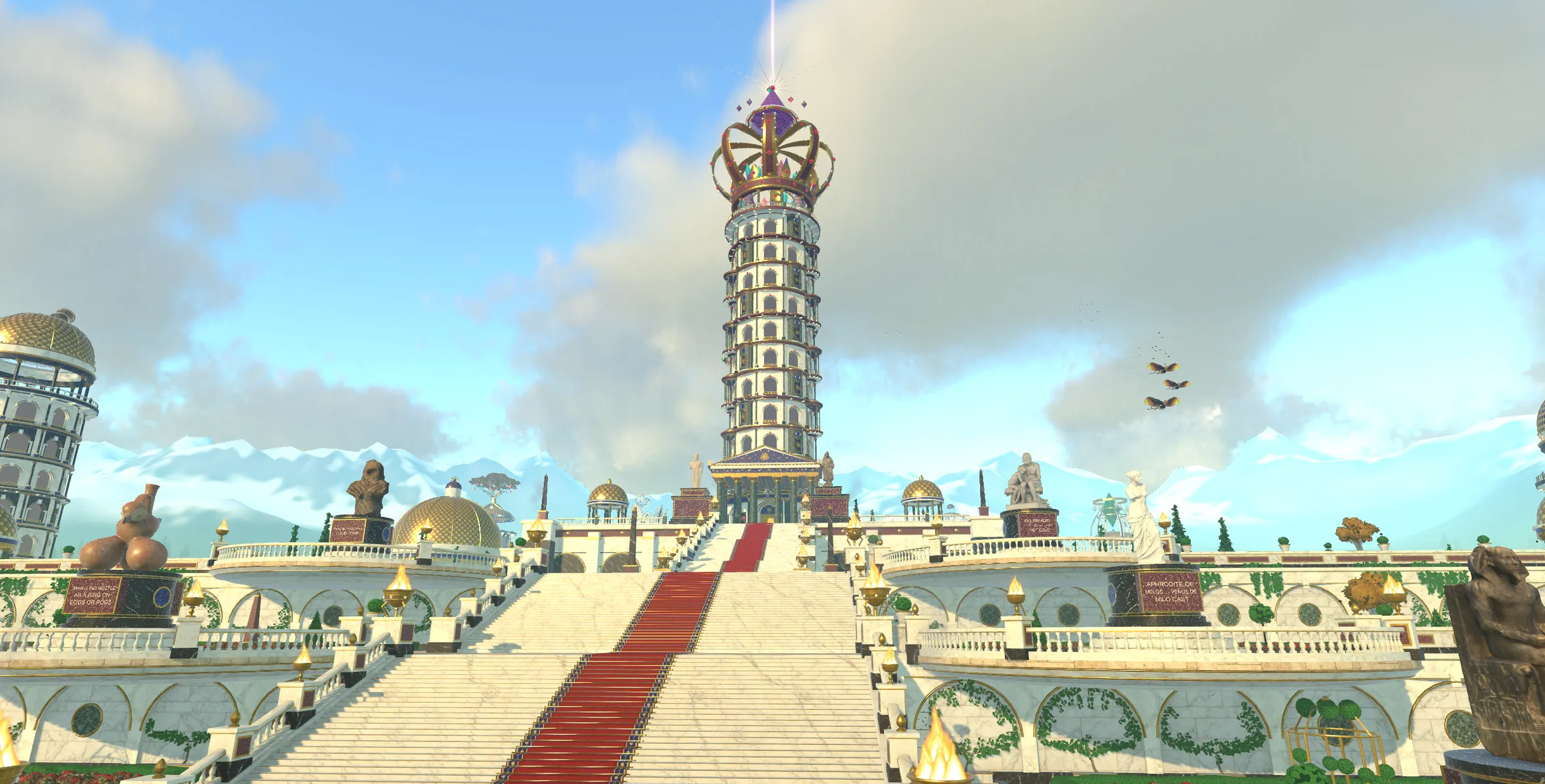
Storage Systems is a planet in Nousfarer
Its city has a tower for each of these 11 frameworks. Land, walk in, and climb one concept at a time.
Land on Storage SystemsRelated fields
Fields its ideas are linked to
- Memory Hierarchy 7 links
- Distributed Systems 6 links
- Operating Systems 5 links
- Computer Systems 4 links
- Reliability Fault Tolerance 3 links
- Big Data Processing 2 links
- Coding Theory 1 link
- Databases 1 link
- Transaction Processing 1 link
- Digital And Open Banking 1 link
- Reliability Engineering 1 link
- Machine Design 1 link
More in Computer Systems
See where Storage Systems sits on the Map of Human Knowledge