THE NOUSFARER FIELD GUIDE
Controls
Every key and touch action in Nousfarer, for the bridge, flight, planets and institutes.
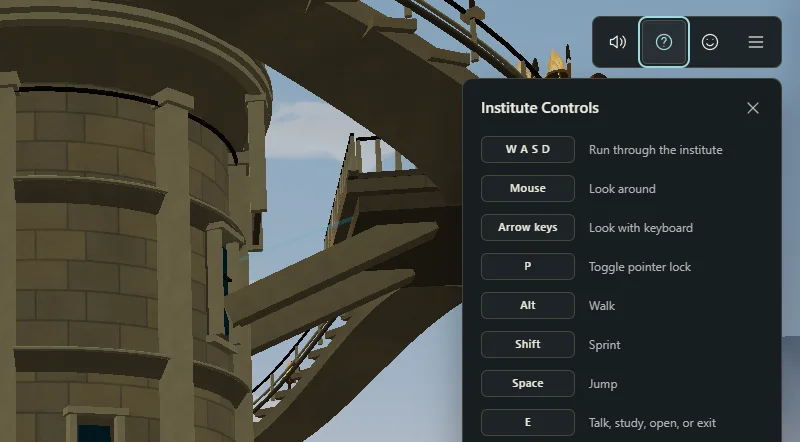
Nousfarer plays best on a computer with a keyboard and mouse. Phones and tablets get on-screen touch controls instead. In the game, the ? button in the top-right corner shows the controls for the scene you are in, and the game menu has the same list under Controls.
On foot
These controls apply on the bridge, on a planet and inside an institute.
| Action | Keyboard and mouse | Touch |
|---|---|---|
| Move | W A S D | Left pad |
| Look around | Mouse | Drag on the screen |
| Look with the keyboard | Arrow keys | — |
| Walk slowly | Alt | — |
| Sprint | Shift | — |
| Jump | Space | Jump button |
| Talk, inspect, study, open or enter | E | E button |
| Lock or release the mouse pointer | P | — |
| Close a panel or open the game menu | Esc | ☰ button |
What E does depends on where you are: on the bridge it uses the helm, Copilot or another station; on a planet it talks, inspects, boards or enters; in an institute it talks, studies, opens or exits. Look for the E prompt near the object.
Flying the ship
Sit at the helm on the bridge and press E to take control.
| Action | Keyboard | Touch |
|---|---|---|
| Pitch up or down | W / S | Left pad |
| Turn left or right | A / D | Left pad |
| Boost | Shift | E button, with no target lined up |
| Warp or land on the target | E | E button |
| Go back one layer | Esc, then Back one layer | ☰, then Back one layer |
| Leave the helm | Esc, then Back to bridge | X button |
Line up a galaxy, star system or planet so its label sits in the centre of the view. When the prompt says Press E to Warp or Press E to Land, press E. If you have an active Copilot expedition, a gold diamond marks the next stop.
The game menu
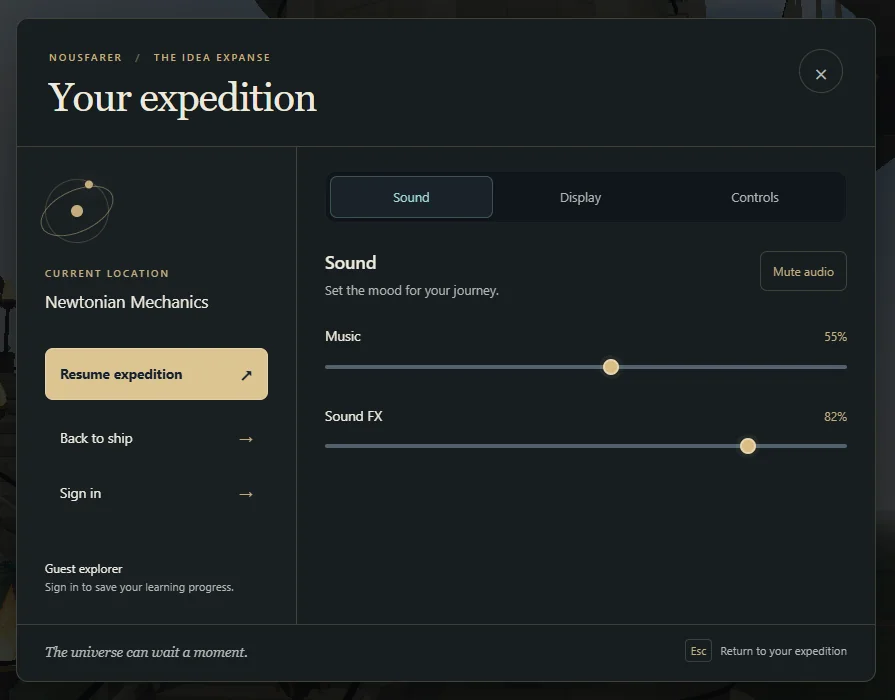
Press Esc (or tap ☰) to open Your expedition. From there you can resume, return to the ship (or to the bridge while flying), sign in, and adjust:
- Sound: music, sound effects and planet ambience volumes, or mute everything.
- Display: the graphics quality preset. See Troubleshooting if the game feels slow.
- Controls: the control list for your scene, and a button to lock or release pointer look.
PUT IT INTO PRACTICE
Continue your voyage.
Your next discovery is waiting.